AI generators: How writing, remixing, and illustration work together in creative workflows
- SHARE ON:


AI generators are no longer novelty tools. They are now part of everyday creative workflows, shaping how ideas are explored, how drafts take form, and how visual concepts come to life. What’s changed isn’t just output quality. It’s where creative work begins.
Writers no longer always start with a blank page. Designers no longer always start with a sketch.
Increasingly, creative work begins with generated material: fragments of text, variations of tone, rough visual concepts, and unexpected combinations.
These outputs are not final work. They are starting points.
This shift has introduced both opportunity and confusion.
AI generators feel powerful because they move fast and produce polished material. At the same time, they raise questions about originality, depth, and creative control.
For many teams, the challenge is not whether to use AI generators, but how to use them without flattening creativity or diluting intent.
This guide focuses on what AI generators actually do, how creatives are using them in practice, and where human creativity still matters most.
It is about generation, remixing, and illustration, not authorship, responsibility, or governance.
Those questions matter, but they belong elsewhere. Here, the focus is on creative capability.

From writing tools to generative systems
Early AI tools were clearly assistive. They corrected grammar, suggested synonyms, or smoothed awkward sentences.
Their role was narrow and supportive.
AI generators are different.
They don’t just improve what already exists. They produce new material, often at the scale of full creative assets.
Today’s AI generators can produce:
- Short- and long-form written content, from social captions to white papers and presentation decks
- Multiple stylistic and tonal variations of the same idea
- Visual concepts generated directly from written prompts
- Images that match, extend, or reinterpret a written narrative
- Draft combinations of text and visuals that would traditionally require multiple disciplines
- Audio outputs such as music, soundscapes, and voice-based material used for branding, content, or concept development
As a result, creative work has shifted from making something from nothing to choosing, shaping, and refining from many possibilities. This represents a fundamental change in how creative momentum works.
Instead of struggling to get started, creators often start with too much. The challenge becomes selection rather than generation.
What AI generators actually generate
At a practical level, AI generators specialise in form and variation.
They generate material that:
- Sounds fluent
- Looks complete
- Matches familiar patterns
- Feels “good enough” quickly
This applies across formats.
Text generators produce:
- Draft paragraphs
- Headline variations
- Tone-shifted versions of the same message
- Rewritten or expanded ideas
Image generators produce:
- Visual interpretations of prompts
- Style-based illustrations
- Conceptual scenes and layouts
- Mood-driven imagery rather than precise designs
Multimodal generators link the two, allowing text to influence visuals and visuals to influence text.
What they do not generate reliably is meaning.
They do not decide what matters, what should be emphasised, or what aligns with a larger creative direction.
That work still happens elsewhere.
Understanding this distinction helps avoid disappointment. AI generators are engines for possibility, not engines for intent.
Writing with AI as remixing, and not replacement
One of the most useful ways to think about generative writing is as remixing music.
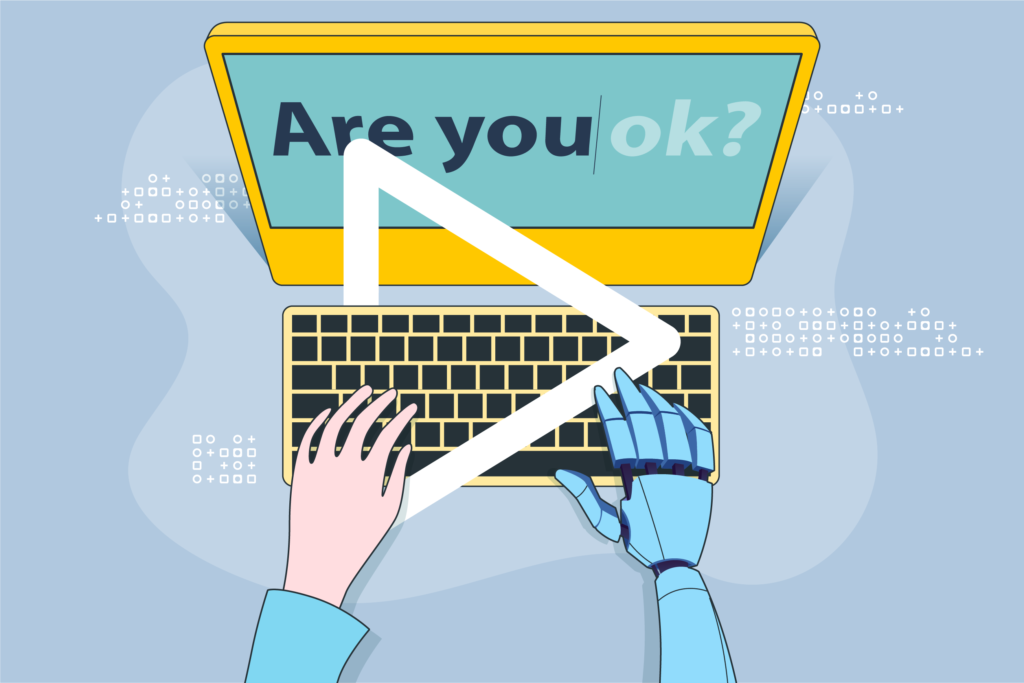
Rather than treating AI as something that “writes for you”, experienced writers use it the way musicians use samples or producers use loops. The goal isn’t to accept the output as-is. The goal is to explore variations quickly.
This remixing mindset shows up in how writers use AI generators to:
- Test different tones for the same idea
- Rephrase arguments without losing meaning
- Explore alternative openings or structures
- Push language in directions they might not try unaided
In this sense, AI becomes a creative amplifier. It helps surface options, not decisions.
The danger comes when remixing turns into replacement.
When writers stop shaping outputs and start accepting them wholesale, the work becomes generic.
The best results appear when writers treat AI-generated text as raw material: something to cut, rearrange, challenge, and rewrite.
This is why AI-generated writing often improves creativity early in the process, but rarely produces strong final work on its own.
Breaking creative blocks without lowering the bar
One of the most practical benefits of AI generators is their ability to reduce creative friction.
They help when:
- A writer knows what they want to say but can’t find momentum
- A designer needs visual direction before committing to a style
- A team needs to explore multiple creative routes quickly
- Time pressure makes blank-page work expensive
AI outputs provide something to react to.
That reaction, whether it’s agreement, resistance, refinement, is often where creativity re-enters the process.
However, speed can be deceptive.
Just because something appears quickly does not mean it is aligned or useful.
Strong creative teams use AI to move faster into judgement, not to skip it.
Illustrating with AI: Thinking in pictures
AI image generation has introduced a new phase in creative visual work: rapid conceptualisation.
Designers and writers increasingly use AI-generated images to:
- Explore visual metaphors
- Test tonal directions
- Build moodboards
- Align visual and verbal ideas early
These images are rarely intended to be final outputs.
Instead, they function as visual thinking tools.
AI illustration is particularly effective at:
- Translating abstract ideas into visual form
- Exploring styles without committing resources
- Sparking conversations between writers and designers
- Making early-stage ideas easier to evaluate
Where it struggles is precision.
AI-generated images often include inconsistencies, cultural shortcuts, or visual inaccuracies.
That’s why they work best upstream, before refinement and craft take over.
Why generated outputs feel “finished” so quickly
One reason AI generators are so compelling is that their outputs feel complete.
This happens because they replicate familiar patterns:
- Well-structured sentences
- Balanced compositions
- Predictable rhythms
- Polished phrasing
The human brain reads these signals as competence.
As a result, creators may feel a false sense of completion.
This can lead to premature satisfaction: stopping too early because the output looks finished, even if the idea underneath is weak.
Creative discipline now includes the ability to look past surface fluency and ask harder questions:
- Is this saying anything new?
- Does this reflect a clear point of view?
- Would this stand out without the novelty of speed?
AI generators raise the baseline of polish. They do not raise the baseline of insight.
Where AI generators are most useful creatively
Used well, AI generators excel in specific creative contexts.
They are particularly effective for:
- Early ideation and exploration
- Generating multiple creative routes
- Translating abstract concepts into concrete drafts
- Supporting collaboration between disciplines
- Accelerating iteration cycles
For creative teams, this means fewer bottlenecks at the start of projects and more time spent refining strong ideas rather than struggling to surface them.
Importantly, the value comes from range, not volume.
More options are only useful when teams are selective about what they develop further.
Where AI generators frustrate creatives
Despite their speed, AI generators introduce new creative challenges.
Common frustrations include:
- Repetition across outputs
- Overly safe or neutral tone
- Style collapse over longer pieces
- Difficulty sustaining a strong creative arc
- Visual outputs that feel generic or culturally shallow
These limitations become more visible the closer the work gets to final delivery.
AI excels at fragments. Humans excel at coherence.
This is why strong creative work still requires intentional direction.
Without it, AI outputs drift toward sameness, regardless of how impressive they appear initially.
Creativity as selection, not production
As generation becomes cheap, creativity shifts upstream.
The creative advantage no longer lies in producing material, but in:
- Choosing what to pursue
- Deciding what to discard
- Refining what remains
- Connecting ideas into something coherent
AI generators expand the field of possibility. Human creativity narrows it with taste.
This reframing helps resolve tension.
AI does not compete with creativity. It changes where creative value sits.
How creative teams are using AI generators in practice
In practice, AI generators are rarely used in isolation. They are woven into existing workflows.
Common patterns include:
- Writers using AI to explore drafts before writing their own
- Designers using generated images to clarify visual direction
- Teams aligning text and visuals earlier in the process
- Faster internal feedback because there is something concrete to react to
Coordinating AI across creative production phases
AI generators work best when they’re used differently at different stages of production.
Most teams run into problems not because they use AI, but because they apply it uniformly from start to finish.
Creative work moves through phases: exploration, shaping, execution, and refinement.
Each phase benefits from AI in specific ways and suffers when AI is misapplied.
Understanding how to coordinate AI use across these phases helps teams move faster without flattening ideas or losing direction.
Phase 1: Exploration and direction
This is the phase of possibility, not precision.
AI is most useful here as an idea expander:
- Generating multiple angles or metaphors
- Exploring tonal directions
- Turning abstract ideas into rough text or visuals
- Providing material to react to, not decide on
Writers and designers should share early AI-generated material, even if it’s messy.
This helps align intent before anything solidifies.
The key mistake to avoid is settling too early. In exploration, speed should increase range, not narrow it.
Phase 2: Shaping the concept
Once a direction emerges, AI’s role changes.
This phase is about structure and coherence, not volume.
AI can help by:
- Reorganising ideas into clearer frameworks
- Testing whether a concept holds across formats
- Translating between text and visuals to check alignment
- Producing draft combinations to evaluate flow
Coordination matters most here.
If writers and designers use AI independently without a shared direction, outputs drift.
AI should support convergence, not pull ideas apart.
At this stage, teams should reduce generation and increase selection.
Phase 3: Execution and asset creation
Execution demands clarity.
Here, AI supports efficiency, not exploration:
- Creating format-specific variations
- Producing placeholder visuals for layout
- Assisting with versioning across channels
- Speeding up repetitive production tasks
AI inputs should now be tightly constrained by decisions already made.
Introducing new ideas at this stage increases rework and confusion.
Teams that coordinate well treat AI as an assistant, not a creative driver.
Phase 4: Refinement and polishing
In the final phase, AI becomes a precision tool.
It’s useful for:
- Tightening language
- Improving clarity and flow
- Simplifying dense phrasing
- Spotting inconsistencies
What it should not do is introduce a new direction.
Refinement is about improving what exists, not reopening creative questions.
Those should have been answered cleanly at the conceptualising phase.
At this stage, focus on nuance, tone, and emotional impact, which still require human judgement.
AI can help sharpen, but humans decide what feels right.
Why phase awareness matters
Most breakdowns happen when AI is used without regard to phase.
Exploring during execution slows teams down.
Generating novelty during refinement creates inconsistency.
Treating all stages the same leads to shallow outcomes.
Effective coordination means:
- Matching AI use to creative intent at each stage
- Aligning teams on why AI is being used
- Narrowing AI’s role as projects progress
AI as a shared creative instrument
When AI is coordinated across production phases, it stops feeling disruptive and starts feeling useful.
It helps teams:
- Explore more broadly early on
- Decide more clearly mid-process
- Produce more efficiently later
- Refine more carefully at the end
AI expands possibilities. Creative direction still comes from people.
The creative trade-offs of speed
Speed changes creative behaviour.
When outputs are fast, it becomes tempting to settle quickly.
When variation is endless, it becomes harder to commit.
AI generators magnify both tendencies.
Creative maturity now includes:
- Knowing when to stop generating
- Recognising when variation is no longer helpful
- Choosing depth over breadth
- Accepting that refinement still takes time
AI removes friction, but not your responsibility for creative judgement.
Summary: Generation expands possibility, not meaning
AI generators have changed how creative work begins.
They have not changed where meaning comes from.
Text and images can be generated in seconds.
Direction, relevance, and resonance cannot.
The most effective creative teams use AI generators to expand possibility, then apply human judgement to shape it.
They treat generation as the start of thinking, not the end of it.
Used this way, AI becomes what it does best: a powerful instrument for exploration.
Creativity remains human, not because machines lack ability, but because meaning still requires choice.
FAQ
What’s the difference between using AI for ideation and execution?
Ideation uses AI to explore possibilities like angles, tones, and concepts. Execution uses AI to support delivery: variations, formatting, and speed. Mixing the two often leads to either shallow ideas or unnecessary rework.
Should writers and designers use AI separately or together?
Together, as early as possible. Sharing AI-generated drafts or visuals helps align direction before concepts harden. When teams explore in isolation, AI outputs often pull work in conflicting directions.
How much AI-generated material should make it into final work?
There’s no fixed percentage. AI is most valuable as raw material and support, not as finished output. Strong work usually involves heavy selection, editing, and reshaping by humans.
When should teams stop generating and start committing?
Once a clear direction is agreed. Continuing to generate after that point increases indecision and inconsistency. As projects move forward, AI’s role should narrow, not expand.
Why do AI-generated drafts often feel “done” too early?
Because they mimic familiar patterns and polished structure. This surface fluency can mask weak ideas. Teams need to look past polish and assess whether the concept actually says something meaningful.
Is AI more useful for text or visuals in creative workflows?
Both, but in different ways. Text generators help explore language and structure. Image generators help visualise tone and direction. Their real value emerges when text and visuals are explored together.
What’s the biggest mistake teams make when using AI across production phases?
Using it the same way at every stage. AI should expand possibilities early, support clarity mid-process, improve efficiency during execution, and assist precision at the end. Treating all phases the same leads to flat results.